













Blitz Login: Security and Account Access in 2026
Access your Blitz account with confidence
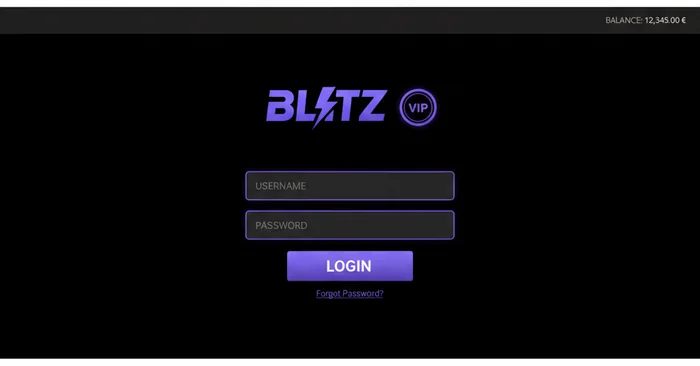
The Blitz login is your gateway to a platform designed with security as the absolute priority. Every login you make on blitzcasino.eu.com is protected by 256-bit SSL encryption, the same standard used by leading financial institutions. We built our authentication infrastructure so you can access your personal space quickly, without ever compromising the protection of your data.
Once logged in, your dashboard gives you access to your complete gaming history, your personalised deposit limits, your responsible gambling tools and your recent transactions. We designed this interface so every player — whether new or experienced — finds their bearings within seconds. Transparency and reliability are not optional with us: they sit at the heart of every feature we roll out.
How to log in to Blitz
Step 1: Go to Blitz Casino
Open your browser and type the official address blitzcasino.eu.com. Always check that the URL starts with https:// and that the security padlock is visible in the address bar — that's the confirmation your connection is end-to-end encrypted. The Log in button sits at the top right of the home page, immediately accessible without scrolling.
Never go through links received in unsolicited emails or third-party sites to access your account. Type the address directly into your browser or use a bookmark you saved yourself.
Step 2: Enter your credentials
In the login form, enter the email address linked to your Blitz account along with your password. Our system never stores your password in plain text: it is hashed via a robust cryptographic algorithm before being saved in our databases. If you enabled device remembering during a previous session, your email may appear pre-filled.
Take care to check that the Caps Lock key isn't active before typing your password. A case error is the single most common cause of failed logins.
Step 3: Two-factor authentication
If you've enabled two-factor authentication (2FA) on your Blitz account, a one-time code will be requested after you enter your credentials. This code is generated by an authenticator app like Google Authenticator or Authy, and it expires after 30 seconds. This extra layer ensures that even if someone obtains your password, they cannot access your account without your physical device.
We strongly recommend enabling 2FA from the security settings of your profile. It is one of the most effective measures to protect your balance and personal data.
Step 4: Access your dashboard
Once authenticated, you're redirected to your personal space. There you'll find your available balance, your active bonuses, your transaction history and your responsible gambling settings — deposit limits, reality check timers and self-exclusion options. Everything is centralised so you keep control of your gaming experience at all times.
Our dashboard updates in real time. Every bet, every deposit and every withdrawal appears instantly in your history, with no display delay.
Account security
Choosing a strong password
Your Blitz password should contain at least 12 characters, combining uppercase, lowercase, numbers and symbols. Avoid birthdates, first names or obvious sequences like "123456". A password manager such as Bitwarden or 1Password can generate and store complex passwords for you, eliminating the need to memorise them.
We recommend renewing your password every three to six months, and immediately if you suspect your email address has been compromised. Never reuse a password already used on another site.
Protecting your session
On a shared device — family computer, internet café or public terminal — always log out after each session. Our platform automatically disconnects idle sessions after a defined period, but don't rely solely on that protection. A simple click on "Log out" is enough to invalidate your session on the server side.
We also monitor logins from unusual IP addresses. If a login attempt comes from an unknown country or device, our system may trigger additional verification to protect your account.
KYC process and data protection
Our identity verification (KYC) process is designed to protect both our players and the integrity of the platform. You'll be asked to submit a valid ID and proof of address upon your first withdrawal request. These documents are processed in accordance with the General Data Protection Regulation (GDPR) and are never shared with third parties without your explicit consent.
Blitz operates under an official licence, and every aspect of our data handling is regularly audited by independent bodies. The RNG certification of our games also guarantees the fairness of outcomes, verifiable at any time in our transparency section.
Mobile login on Blitz
Via the mobile browser
Our site is fully optimised for mobile browsers on iOS and Android. Go to blitzcasino.eu.com from Safari, Chrome or Firefox Mobile to access the responsive version of the platform. The Blitz sign in form automatically adjusts to your screen size, with no loss of functionality or security.
The "Remember this device" feature lets you avoid re-entering your credentials on each visit from your personal smartphone. This option should only be enabled on your private devices, never on a shared phone.
Via the dedicated app
For an even smoother experience, download our Blitz app available for iOS and Android devices. The app includes biometric login options — fingerprint and facial recognition — for instant access without entering a password. This biometric data stays stored locally on your device and never travels to our servers.
The Blitz app benefits from the same security protocols as the desktop version, with the addition of push notifications to alert you of any unusual activity on your account.
One-tap login
Once your trusted device is registered, login comes down to a biometric authentication or a 6-digit PIN. This system reduces password-related risk while maintaining a high level of security. You keep full control: you can revoke access for a registered device at any time from your profile settings.
Available login methods on Blitz Casino
| Login method | Availability | Security level |
|---|---|---|
| Email + password | Desktop & Mobile | Standard — strengthened with 2FA |
| Two-factor authentication (2FA) | Desktop & Mobile | High |
| Mobile app (Blitz app) | iOS & Android | High |
| Biometrics (fingerprint / Face ID) | Compatible devices | Very high |
| Remembered trusted device | Desktop & Mobile | Medium — personal devices only |
Troubleshooting login issues
Forgotten password
If you can no longer remember your Blitz password, the recovery procedure is simple and secure. Follow these steps:
- Click on the "Forgot password?" link located under the login form on the Blitz login page.
- Enter the email address linked to your account. A reset email will be sent to you within two minutes.
- Click on the link contained in this email — it is valid for 15 minutes for security reasons. If you can't find it in your inbox, check your spam folder.
- Choose a new password meeting our complexity criteria, confirm it, then log in with your new credentials.
If you no longer have access to the registered email address, contact our support team via live chat. Additional identity verification will be required to guarantee the security of your account.
Locked account
After several consecutive failed login attempts, your Blitz account is temporarily locked as a protective measure against brute-force attacks. This automatic lockout is designed to prevent any unauthorised access, even if someone has your email address.
To unlock your account, wait for the suspension period indicated in the error message, then try to log in again. If the problem persists, our support team is available 24/7 via live chat to assist you. Have your identifying information ready to speed up verification.
An account may also be suspended if our compliance team detects unusual activity. In that case, an email will be sent to you with instructions to regularise the situation and any documents required as part of the KYC process.
Browser-related issues
If the login page doesn't load correctly or if the form doesn't respond, start by clearing your browser's cache and cookies. This temporary data can sometimes conflict with our platform's security scripts. On Chrome, go to Settings > Privacy and security > Clear browsing data.
Our platform is compatible with recent versions of Chrome, Firefox, Safari and Edge. Older or non-updated browsers may run into difficulties with our SSL security protocols. An update to the latest available version usually resolves these incompatibilities. As a last resort, try accessing the site in private browsing mode to isolate the issue.
Ready to access your Blitz space?
The security of your account isn't a constraint — it's a guarantee we offer you with every login. Bank-grade encryption, two-factor authentication, monitoring of unusual logins and built-in responsible gambling tools: everything is in place so you can play with peace of mind. Don't miss the chance to enjoy a platform that puts your protection first.
Already have an account? Log in now and find your dashboard within seconds. New to the platform? Create your Blitz account in less than three minutes and discover our welcome offer reserved for new players. Welcome to Blitz Casino — where security and entertainment go hand in hand.